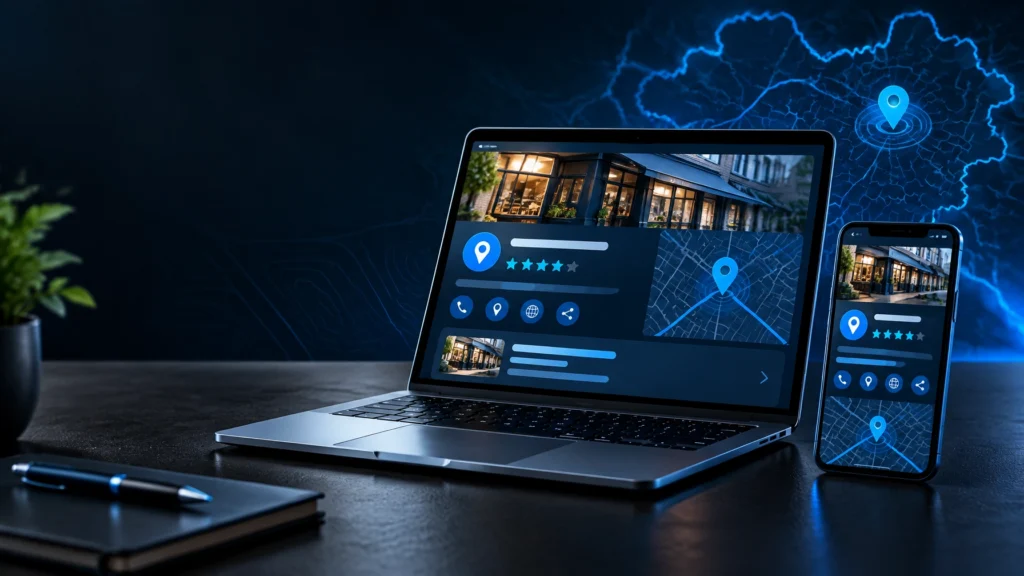

A Google Business Profile should do more than confirm that your business exists.
It should make your services clear, answer practical questions, reflect your brand and give potential customers confidence about what happens next. Every detail matters: from your primary category and opening hours to the photographs customers see before they call, book or visit.
For Rochdale businesses and companies across Greater Manchester, Google Business Profile optimisation is one part of a wider local SEO system. It works best when your profile, website, reviews and business information all tell the same story.
This guide explains what to review and improve this week.
Why this matters now
Customers in Rochdale, Littleborough, Heywood, Middleton, Oldham, Bury, Bolton and Manchester often discover local businesses through a combination of traditional search results, Google Maps listings and increasingly AI-assisted search experiences.
A customer looking for a barber, restaurant, electrician, aesthetics clinic or taxi company may compare several businesses without visiting a website first. They may look at opening hours, photographs, services, reviews, directions and whether the business appears to serve their area.
Google Maps also surfaces an AI-assisted “Ask” experience for questions about places. That makes accurate, clearly written business information more important, not less.
Your profile is not a ranking strategy by itself. It is a public business asset that needs to be accurate, useful and supported by a well-structured website.
Work through the profile
1. Verify the business properly
Start with ownership and accuracy. If you cannot control the profile, you cannot reliably maintain it.
- Claim the profile through your Google Business Profile account.
- Use your real business name. Do not add phrases such as “best plumber in Rochdale” unless they are genuinely part of your trading name.
- Complete verification using the method Google offers.
- If video verification is available, the recording can be up to 30 seconds. Google advises that review can take up to five business days.
- Check that the profile links to the correct website, telephone number and booking page.
Use Google’s official Business Profile guidance if you are unsure which verification or business representation rules apply.
2. Choose the right categories
Your primary category is one of the clearest signals about what your business does. Choose the most specific accurate option available, rather than selecting a broad category because it sounds more familiar.
For example, a beauty business may need to distinguish between a hair salon, beauty salon, aesthetics clinic or nail salon. A trade business might need to choose between plumber, electrician, builder or heating contractor.
Then add relevant secondary categories.
- Select one accurate primary category.
- Add secondary categories only for genuine services.
- Review categories when your business changes.
- Do not add categories simply because a competitor uses them.
- Avoid changing categories repeatedly without a clear reason.
The category should describe the business, not every keyword you would like to appear for.
3. Write the description and list services
Your description should help a customer understand who you are, what you offer and where you work.
A useful structure is:
We provide [main service] for [type of customer] in [location or service area]. Our work includes [key services]. Customers can [contact, book or visit] through [preferred next step].
For example, a mobile security company serving Rochdale and surrounding areas might explain whether it provides keyholding, patrols, event security or commercial protection. A salon could clarify its treatments, booking process and the areas it serves.
Next, complete the service or product sections.
- Use customer-friendly service names.
- Describe what each service includes.
- Add products, packages or menu items where relevant.
- Remove services you no longer provide.
- Link customers to the most relevant website page where appropriate.
- Use local references naturally, not as repeated keyword variations.
Google’s public Questions and Answers section has been retired, so your profile description, service and product information, and website now need to carry more of the explanatory work.
4. Set regular and special hours
Incorrect opening hours create avoidable frustration. They can also lead customers to dismiss your business before making contact.
Add your normal hours first, then review exceptions.
- Set regular hours for each day.
- Add special hours for bank holidays.
- Record one-off closures, seasonal changes and unusual trading periods.
- Check hours before public holidays and planned events.
- Make sure website and social media hours match.
A restaurant, salon or gym should also make its booking or last-entry arrangements clear on the website if they differ from the published opening hours.
5. Add useful photographs and video
Images should show the real business and help customers know what to expect.
Consider adding:
- Exterior photographs, including signage and the entrance.
- Interior photographs showing the environment.
- Team or owner photographs.
- Products, completed work or treatment rooms.
- Vehicles, equipment or facilities where these matter.
- Short videos showing the premises or work in progress.
Photos and videos only appear once the business is verified. Google’s requirements include JPG or PNG images between 10 KB and 5 MB, with a minimum size of 250 by 250 pixels. Google recommends 720 by 720 pixels.
Use clear, well-lit images rather than heavily edited stock photography. A Rochdale restaurant should show its actual dining space. A tradesperson should show real completed work. A fitness business should show the facility customers will use.
Replace outdated photographs when your branding, premises, team or services change.

6. Build a consistent review process
Reviews are most useful when they reflect genuine customer experiences and arrive as a normal part of your service process.
After completing a job, treatment, booking or project, invite the customer to leave an honest review. You can share a direct review link by email, text message or printed card.
Keep the request neutral:
Thank you for choosing us. If you have a moment, we would appreciate an honest review of your experience. Your feedback helps us understand what worked well and where we can improve.
Do not:
- Offer discounts or gifts in exchange for reviews.
- Ask only for positive reviews.
- Write reviews for customers.
- Ask staff, friends or family to create fake customer experiences.
- Use bulk review schemes.
- Include private customer information in public replies.
We cover reviews in more detail below because they deserve a considered process, not a quick request added at the end of a job.
7. Publish useful profile posts
Posts can highlight current services, events, announcements, seasonal information and helpful updates.
A barber might share a new booking availability update. A restaurant could introduce a seasonal menu. A security company could explain an event-security service. A professional service firm might publish a concise answer to a common client question.
Keep posts practical:
- Use one clear subject per post.
- Add a relevant image.
- Write for customers, not search engines.
- Link to the appropriate page or booking route.
- Use an action button where available.
- Review posts after campaigns end.
Posts are checked against Google’s policies and can appear as Live, Pending or Not approved. They are archived after around six months unless a date range is set.
Avoid putting telephone numbers in posts. Unverified email addresses and social handles may also be rejected or removed. Use the Call button or an action button linking to your website instead.
8. Use messaging only if you can respond
Messaging can make it easier for a potential customer to ask a quick question from Search or Maps. It is useful for enquiries about availability, services, access, booking requirements or approximate next steps.
Messaging has been reintroduced to Business Profiles, but it should only be enabled when someone can monitor it reliably.
Before switching it on:
- Decide who will respond.
- Set a realistic response process.
- Prepare clear answers to common questions.
- Avoid leaving enquiries unanswered for long periods.
- Move complex conversations to the appropriate booking or contact channel.
If you cannot respond consistently, leave messaging off until the process is ready.
9. Keep business details consistent
Your business name, address and telephone number, often referred to as NAP, should be consistent across your profile, website and other genuine business listings.
Check:
- Spelling and punctuation in the business name.
- Telephone number and country code.
- Address formatting.
- Website URL.
- Opening hours.
- Service descriptions.
- Business details on relevant directories and social profiles.
Consistency does not mean copying the same paragraph everywhere. It means ensuring a customer would recognise the same organisation across each listing.
10. Set the right location or service area
The correct setup depends on how customers interact with your business.
If customers visit a real premises, use the accurate physical address and ensure it reflects where the business operates. If you travel to customers (such as a mobile beautician, plumber, security provider or taxi business) use the service-area settings that reflect the places you genuinely serve.
For example, a business based in Rochdale might serve Littleborough, Heywood and Middleton, while a wider Greater Manchester company may cover Oldham, Bury, Bolton and Manchester. Only include areas you actually cover.
Do not add a large service area simply to appear relevant everywhere. Accurate settings are clearer for customers and easier to maintain.
Manage reviews with care
A good review reply should sound like a real business, not a repeated template.
Thank the customer, refer to the service where appropriate and keep private details out of the response. If the review raises a problem, acknowledge it calmly and invite the customer to continue the conversation privately.
Example for a Rochdale business:
Thank you for taking the time to share your experience. We are pleased to hear that you were happy with the service and that our team could help. We appreciate your support and look forward to welcoming you again.
For a negative review, do not argue publicly or reveal details about the customer’s appointment, project or circumstances. A measured reply protects the tone of the business while giving you an opportunity to resolve the issue properly.
Avoid common mistakes
Several issues repeatedly make profiles less useful:
- Adding keywords to the business name.
- Choosing an inaccurate primary category.
- Leaving services, products or special hours incomplete.
- Uploading stock images instead of genuine business photographs.
- Enabling messaging without a response process.
- Asking for reviews only from selected customers.
- Offering incentives for reviews.
- Publishing posts with phone numbers that may be removed.
- Using an address where customers cannot actually visit.
- Treating the profile as a replacement for a website.
Connect the profile to wider local SEO
A Google Business Profile is one part of local SEO, not the entire strategy.
Your website should explain each important service, use clear page titles and headings, include relevant local context and make the next action easy. It should also work well on mobile devices and provide accurate contact details.
If your website is difficult to update, poorly structured or no longer reflects the quality of your business, DBL Designs’ website design and development service may provide a stronger foundation.
You can then support the profile with:
- Consistent information on relevant listings.
- Useful service pages.
- Genuine local content.
- Clear internal links.
- Accurate analytics and enquiry tracking.
- Ongoing review and content maintenance.
For a more complete approach, explore DBL Designs’ SEO and Google optimisation service.
Frequently asked questions
How often should I update my Google Business Profile?
Review it whenever your business changes, and check key information regularly. Pay particular attention to opening hours, services, photographs, posts and seasonal changes.
Should I include “Rochdale” in my business name?
No. Use your real trading name. Add location information naturally in your description, service content and website rather than changing the official business name.
Can a service-area business hide its address?
Yes. If customers do not visit your premises and you travel to them, use the relevant service-area settings rather than displaying an address that customers cannot visit.
Are Google Business Profile posts still useful?
They can be useful for communicating current information, but they should support your wider website and marketing activity. Keep them accurate, policy-compliant and relevant to customers.
What happened to the Google Business Profile Q&A section?
Google’s public Questions and Answers section has been retired, and the Q&A API was discontinued. Use your description, services, products and website to answer common questions clearly.
Should I enable Google Business Profile messaging?
Only if you can respond quickly and consistently. If no one is responsible for monitoring messages, it is better to improve the process before enabling the feature.
Build a clearer local presence
Good local visibility is built through consistency. Your profile, website, reviews, images and customer experience should all reinforce the same message.
If you would like to review your Google Business Profile, website and wider local SEO together, contact DBL Designs for a straightforward conversation about your goals. We can help you identify what needs attention, refine the foundations and plan the next practical steps, without making promises about rankings or positions.